> ## Documentation Index
> Fetch the complete documentation index at: https://docs.creao.ai/llms.txt
> Use this file to discover all available pages before exploring further.
# Memory
> The agent remembers your preferences, facts, and decisions across all conversations — so you never have to repeat yourself.
## Overview
Memory gives the agent persistent context about you that carries across every conversation. When you share a preference, make a decision, or tell the agent something important, it can save that information and recall it later — even in a completely different chat thread.
Memory is shared across all your conversations. A fact saved in one thread is available in every future thread.
## How memory works
The agent has two memory tools:
* **`save_memory`** — Stores a fact, preference, decision, or entity that should be remembered across conversations.
* **`memory_search`** — Searches stored memories by keyword or topic to recall relevant context.
When you start a new conversation, the agent automatically receives your most recent memories so it has context about you from the start.
## Saving memories
There are two ways memories get saved:
### Explicitly ask the agent
Tell the agent to remember something:
```
Remember that I prefer Python over JavaScript
```
```
Note that my timezone is America/Los_Angeles
```
```
Keep in mind that we decided to use PostgreSQL for the analytics project
```
The agent will call `save_memory` and confirm what was saved.
### The agent saves proactively
The agent is designed to recognize memory-worthy information and save it on its own. When you share durable context like:
* **Preferences** — "I always use Tailwind for styling"
* **Decisions** — "Let's go with Next.js for the frontend"
* **Personal context** — "I work at Acme Corp" or "My name is Alex"
* **Project facts** — "Our API is at api.example.com"
The agent will save these as memories without being explicitly asked.
## Recalling memories
The agent automatically recalls memories in two ways:
1. **At the start of every conversation** — your most recent memories are injected into context, so the agent already knows your preferences.
2. **On demand via search** — when you ask about something from a previous conversation, the agent searches its memory database.
Try asking in a new thread:
```
What programming language do I prefer?
```
```
What project am I working on?
```
The agent will search its memory and respond with the stored context.
## Managing memories
You can view, search, filter, and delete memories from the **Memory** page in the sidebar.
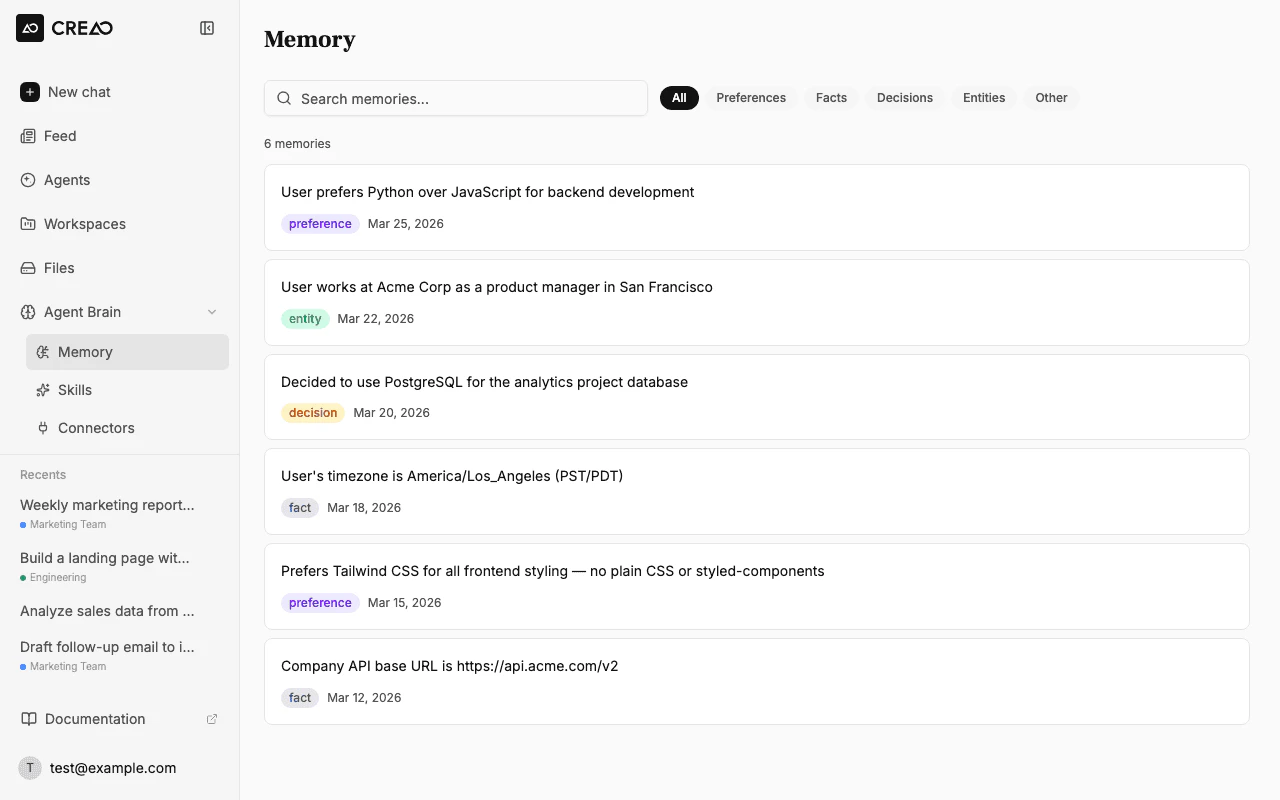 ### Searching memories
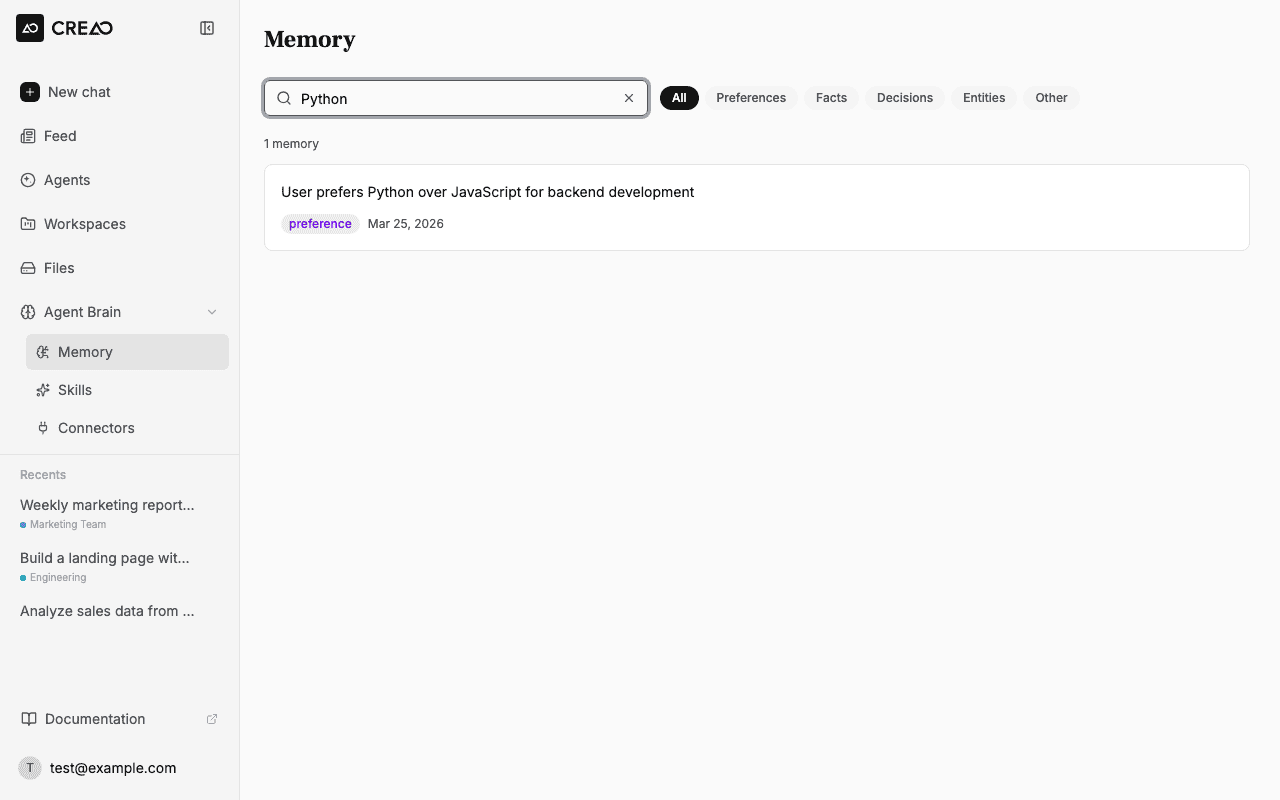
Use the search bar to find specific memories by keyword. Results update as you type.
### Searching memories
Use the search bar to find specific memories by keyword. Results update as you type.
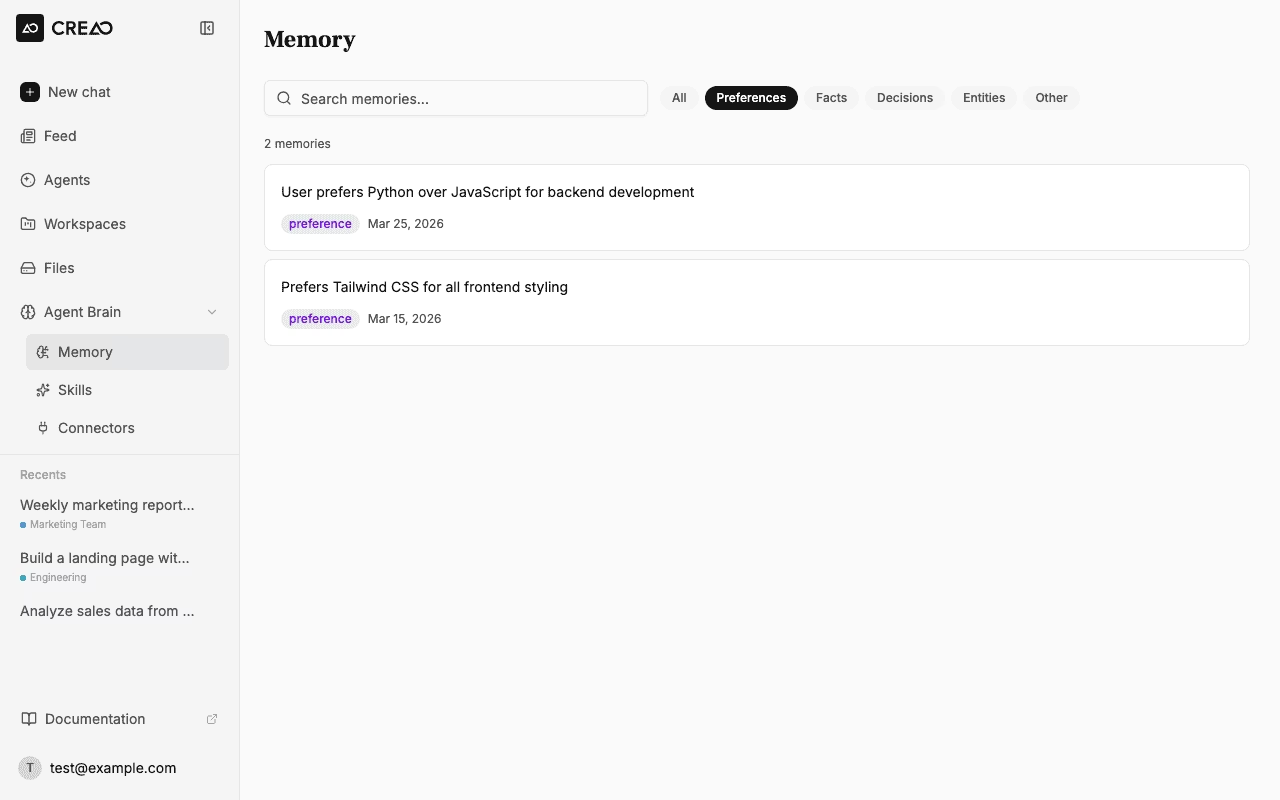
 ### Filtering by category
Click the category pills to filter memories by type: Preferences, Facts, Decisions, Entities, or Other.
### Filtering by category
Click the category pills to filter memories by type: Preferences, Facts, Decisions, Entities, or Other.
 ### Deleting memories
Hover over any memory card and click the trash icon to delete it. The agent will no longer recall deleted memories.
Deleted memories are permanently removed. The agent will not be able to recall them in future conversations.
## Playbooks
The **Playbooks** tab on the Memory page shows structured reasoning guides the agent has built from your past conversations. A playbook captures a recurring task pattern — how the agent learned to approach a specific kind of work for you — and applies it in future sessions automatically.
Playbooks are generated from your conversation history. You don't create them manually; the agent surfaces them as it recognizes consistent patterns in how you work.
### Playbook statuses
| Status | What it means |
| ------------ | ----------------------------------------------- |
| **Active** | Applied automatically in relevant sessions |
| **Current** | Recently promoted and actively in use |
| **Pending** | Generated but not yet applied — awaiting review |
| **Archived** | No longer applied; kept for reference |
Use the status filter at the top of the Playbooks tab to narrow the list. Each playbook card shows its title and a summary of the pattern it captures.
## Memory categories
Each memory is tagged with a category:
| Category | What it stores | Examples |
| -------------- | -------------------------------------------- | -------------------------------------------------- |
| **Preference** | Likes, dislikes, tool/language choices | "User prefers dark mode", "User likes TypeScript" |
| **Fact** | Objective information about you or your work | "User's timezone is PST", "Uses Redis for caching" |
| **Decision** | Choices made that affect future work | "Decided to use PostgreSQL for analytics" |
| **Entity** | Names, contacts, companies | "User works at Acme Corp", "User's name is Alex" |
| **Other** | Anything that doesn't fit the above | General notes and reminders |
## Memory and thread notes
The agent has two tiers of memory:
| | Thread Notes | Cross-Thread Memory |
| ------------ | ---------------------------------------------------- | ---------------------------------------------------------- |
| **Scope** | Current conversation only | All conversations |
| **Tool** | `save_thread_notes` | `save_memory` / `memory_search` |
| **Survives** | Context compaction within the thread | Indefinitely across all threads |
| **Best for** | Task-specific context (file paths, current approach) | Durable facts about you (preferences, decisions, identity) |
Thread notes are automatically managed by the agent during long conversations to preserve context when the conversation is compacted. Cross-thread memory is for information that matters beyond a single conversation.
You don't need to manage thread notes — the agent handles them automatically. Focus on cross-thread memory for the things you want remembered permanently.
### Deleting memories
Hover over any memory card and click the trash icon to delete it. The agent will no longer recall deleted memories.
Deleted memories are permanently removed. The agent will not be able to recall them in future conversations.
## Playbooks
The **Playbooks** tab on the Memory page shows structured reasoning guides the agent has built from your past conversations. A playbook captures a recurring task pattern — how the agent learned to approach a specific kind of work for you — and applies it in future sessions automatically.
Playbooks are generated from your conversation history. You don't create them manually; the agent surfaces them as it recognizes consistent patterns in how you work.
### Playbook statuses
| Status | What it means |
| ------------ | ----------------------------------------------- |
| **Active** | Applied automatically in relevant sessions |
| **Current** | Recently promoted and actively in use |
| **Pending** | Generated but not yet applied — awaiting review |
| **Archived** | No longer applied; kept for reference |
Use the status filter at the top of the Playbooks tab to narrow the list. Each playbook card shows its title and a summary of the pattern it captures.
## Memory categories
Each memory is tagged with a category:
| Category | What it stores | Examples |
| -------------- | -------------------------------------------- | -------------------------------------------------- |
| **Preference** | Likes, dislikes, tool/language choices | "User prefers dark mode", "User likes TypeScript" |
| **Fact** | Objective information about you or your work | "User's timezone is PST", "Uses Redis for caching" |
| **Decision** | Choices made that affect future work | "Decided to use PostgreSQL for analytics" |
| **Entity** | Names, contacts, companies | "User works at Acme Corp", "User's name is Alex" |
| **Other** | Anything that doesn't fit the above | General notes and reminders |
## Memory and thread notes
The agent has two tiers of memory:
| | Thread Notes | Cross-Thread Memory |
| ------------ | ---------------------------------------------------- | ---------------------------------------------------------- |
| **Scope** | Current conversation only | All conversations |
| **Tool** | `save_thread_notes` | `save_memory` / `memory_search` |
| **Survives** | Context compaction within the thread | Indefinitely across all threads |
| **Best for** | Task-specific context (file paths, current approach) | Durable facts about you (preferences, decisions, identity) |
Thread notes are automatically managed by the agent during long conversations to preserve context when the conversation is compacted. Cross-thread memory is for information that matters beyond a single conversation.
You don't need to manage thread notes — the agent handles them automatically. Focus on cross-thread memory for the things you want remembered permanently.