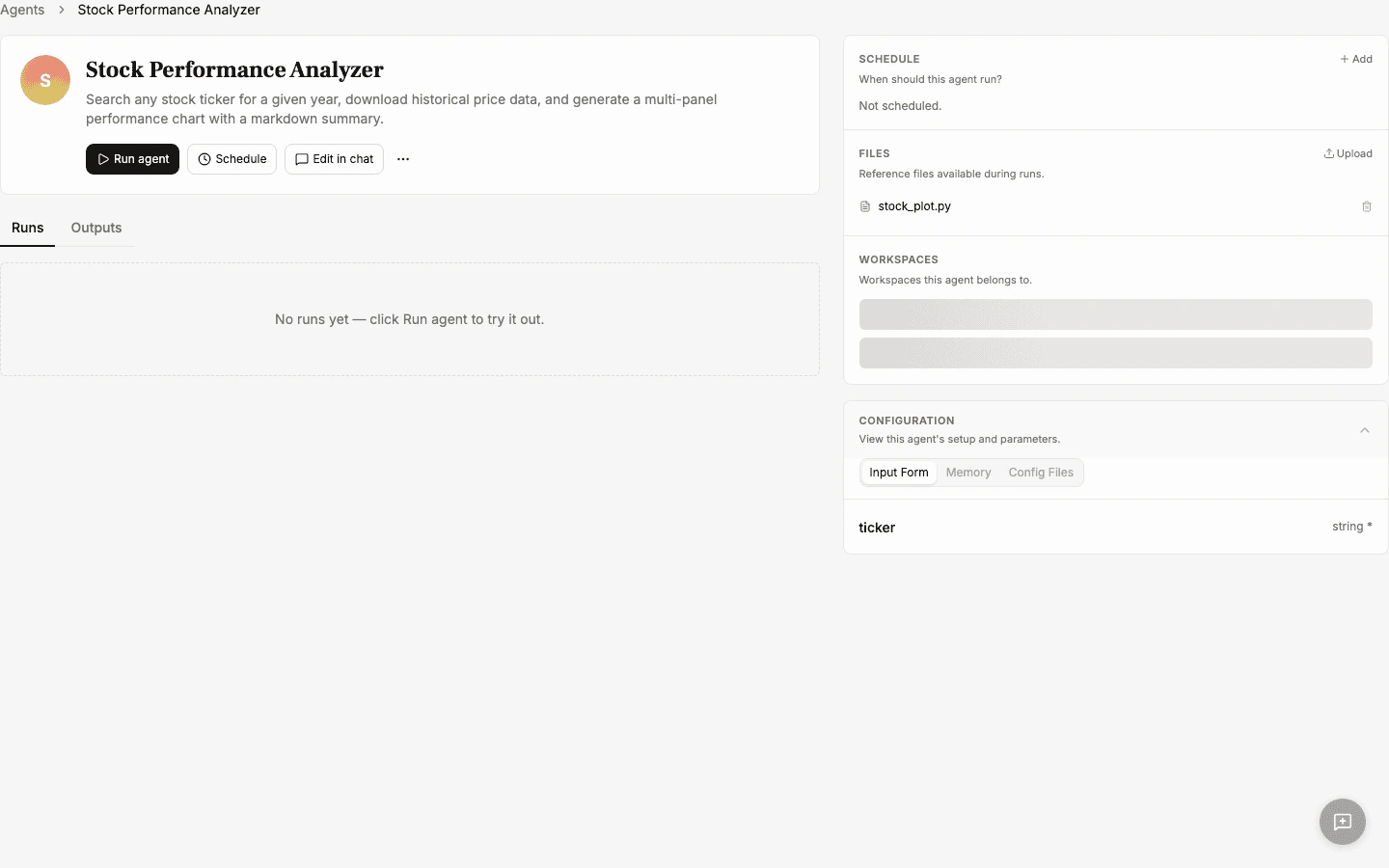
An agent is a reusable workflow the super agent builds from a successful chat session. Instead of re-prompting the same task every time, you save it as an agent you can run again with different inputs.
Use the chat to accomplish a task — generate a report, build an HTML page, analyze data, or anything else.
2
Click Create Agent
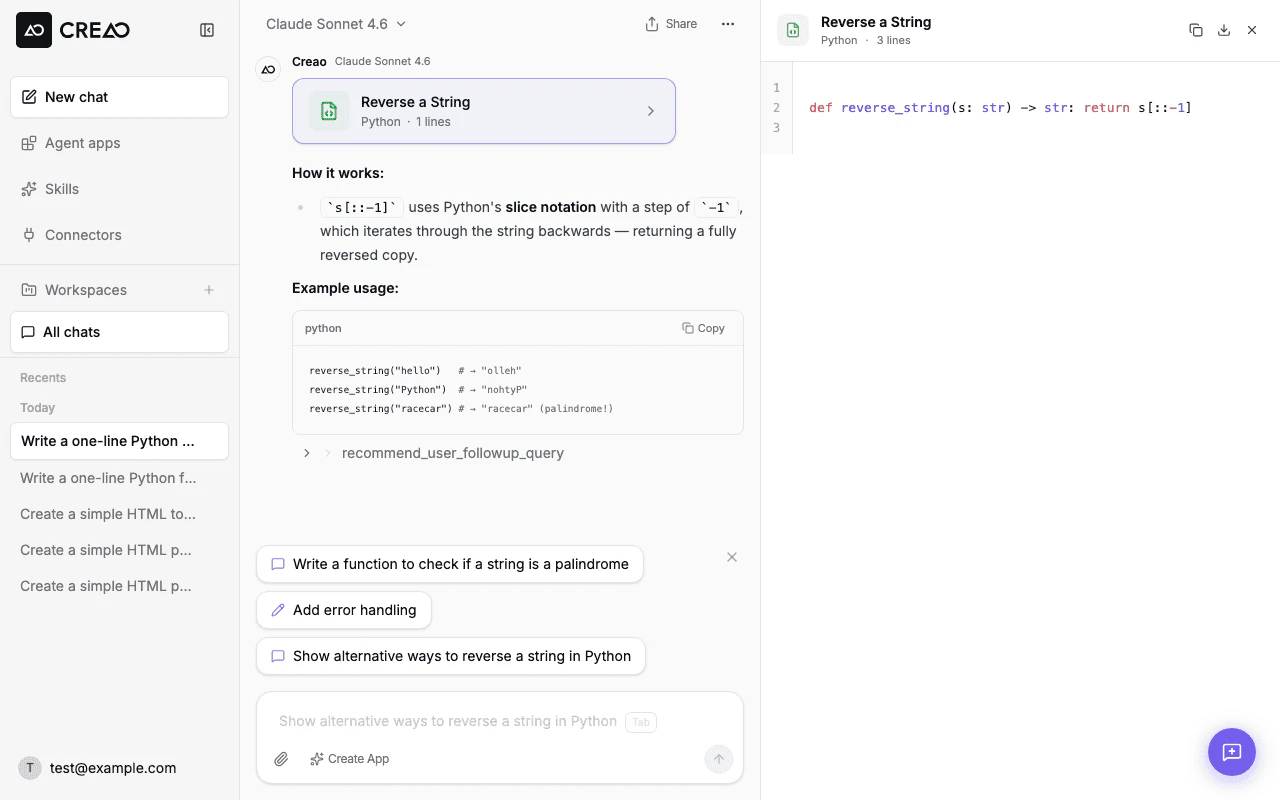
When you’re happy with the result, click the Create Agent button in the chat input bar. The super agent analyzes the session and extracts the workflow.
The Create Agent button appears in the chat input bar after a completed session
3
Configure the agent
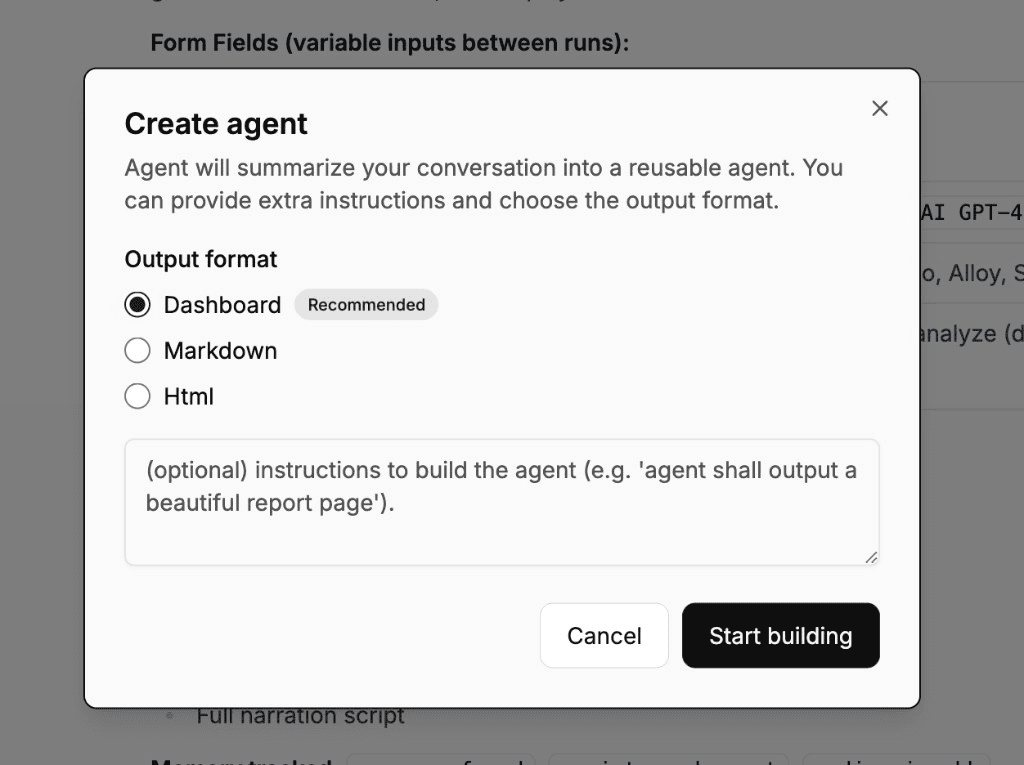
A dialog appears where you can set the output format and provide optional instructions for how the agent should behave:
The Create Agent dialog with Dashboard as the recommended output format
Output format — choose from:
Dashboard (recommended) — the agent renders a visual dashboard with KPI cards, charts, and tables inline in every session. A sample dashboard is generated during creation and reused as the layout template for future runs.
Markdown — traditional text-based output saved as an artifact
Html — interactive HTML page preview in the artifact panel
Instructions — optional guidance for how the agent should execute (e.g., “focus on revenue growth metrics”)
Click Start building to create the agent.
4
Save and share
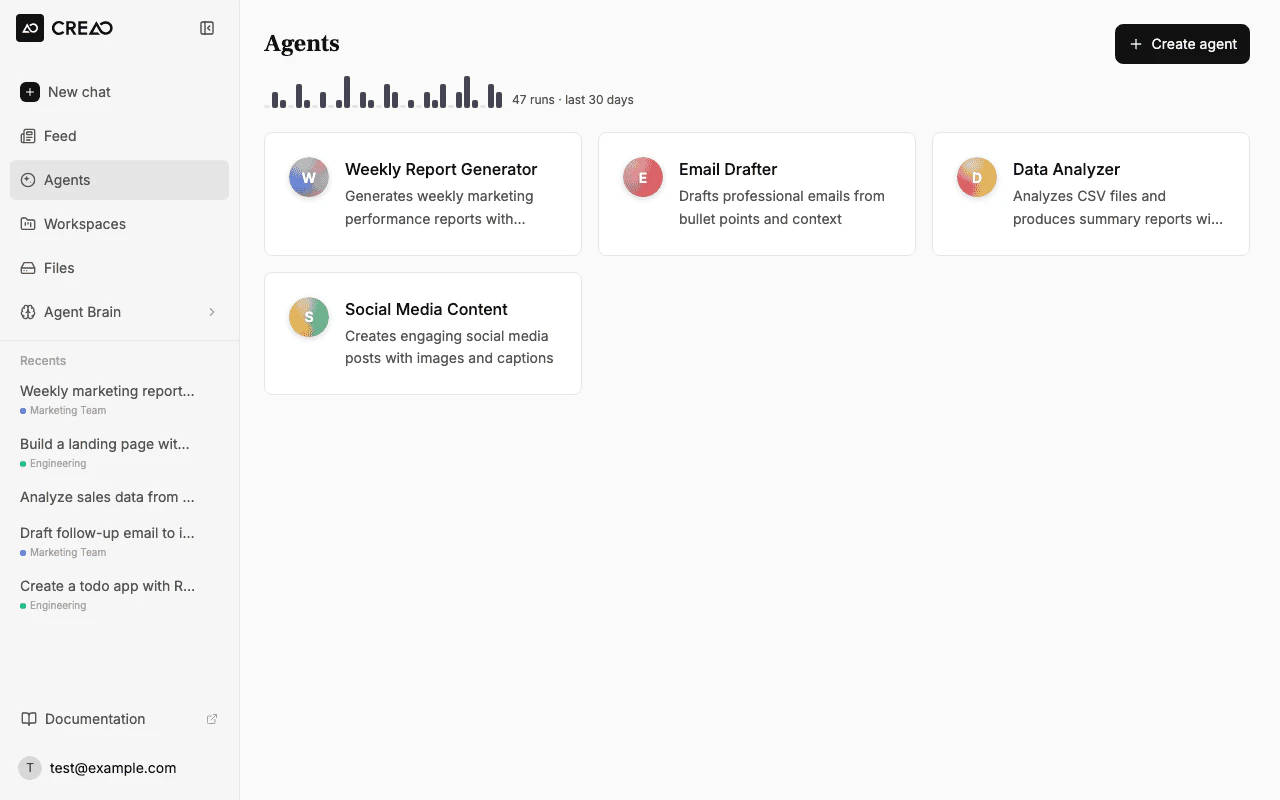
The agent appears in your workspace’s Agents section, ready for anyone to run.
The Agents page is your control surface for all your agents. Each agent card shows at-a-glance status that refreshes every 30 seconds:
Last run — whether the agent is currently running, and when it last ran with a success or failure indicator
Next scheduled run — when the next automatic run is due (if a schedule is configured)
Every card has a persistent Run button so you can start a session directly from the list. If the agent requires inputs, a dialog collects them before launching. No need to open the detail page for a quick run.
The Agents page showing your created agents with activity indicators
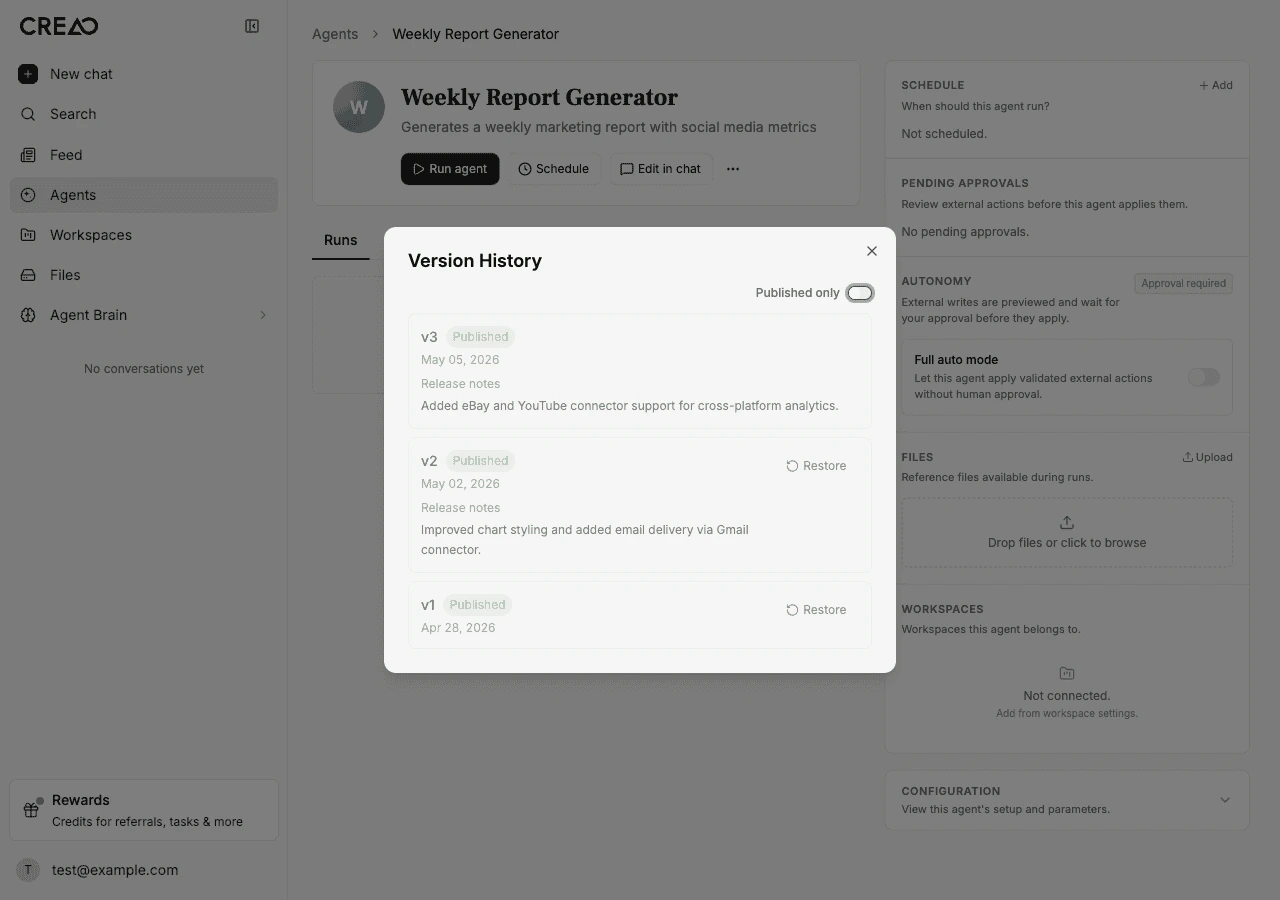
Every modification to an agent creates a new version automatically. Each version captures the full agent configuration — input fields, output format, execution instructions, and attached files — so you always have a snapshot of what worked.You can:
View version history — see all versions with timestamps and who made the change
Read release notes — the super agent summarizes what changed in each version so you can review before adopting
Publish a version — mark a version as ready to distribute to your team or the community
Restore a previous version — roll back if a refinement didn’t work out; restoring creates a new version so nothing is lost
Download any version — export a specific version as a ZIP bundle for backup or transfer
Pull source updates — when an upstream source agent publishes a new version, you can pull the latest changes into your copy
Version control is automatic. You never lose a working version when you iterate on an agent.
The Version History panel showing three versions with release notes and restore options
The Files tab is a file manager for reference files attached to the agent. These are supplementary resources — templates, datasets, images, configuration files — that the agent can read during every run.
The Files tab showing reference files attached to an agent with drag-and-drop upload
There are two ways files end up in an agent’s Files tab:
Automatic — when the super agent builds the agent, it can stage reference files during creation. For example, if the agent generates a report template or pulls in a dataset, those files are automatically attached to the agent.
Manual upload — open the Files tab and drag-and-drop files or click to browse. You can upload multiple files at once (up to 10 MB each, 50 files per agent).
When the agent runs, all attached files are mounted into the sandbox at predictable paths. The agent receives a manifest (app-files.json) that maps each file’s display name to its sandbox path, so it can read the files directly during execution.This is useful for workflows that need fixed reference material — for example:
A report generator that uses a branded HTML template
A data analyzer that reads a CSV dataset
A content writer that follows a style guide document
Dashboards — if the agent produced a visual dashboard during the run, it appears in the expanded session card alongside the summary and artifacts
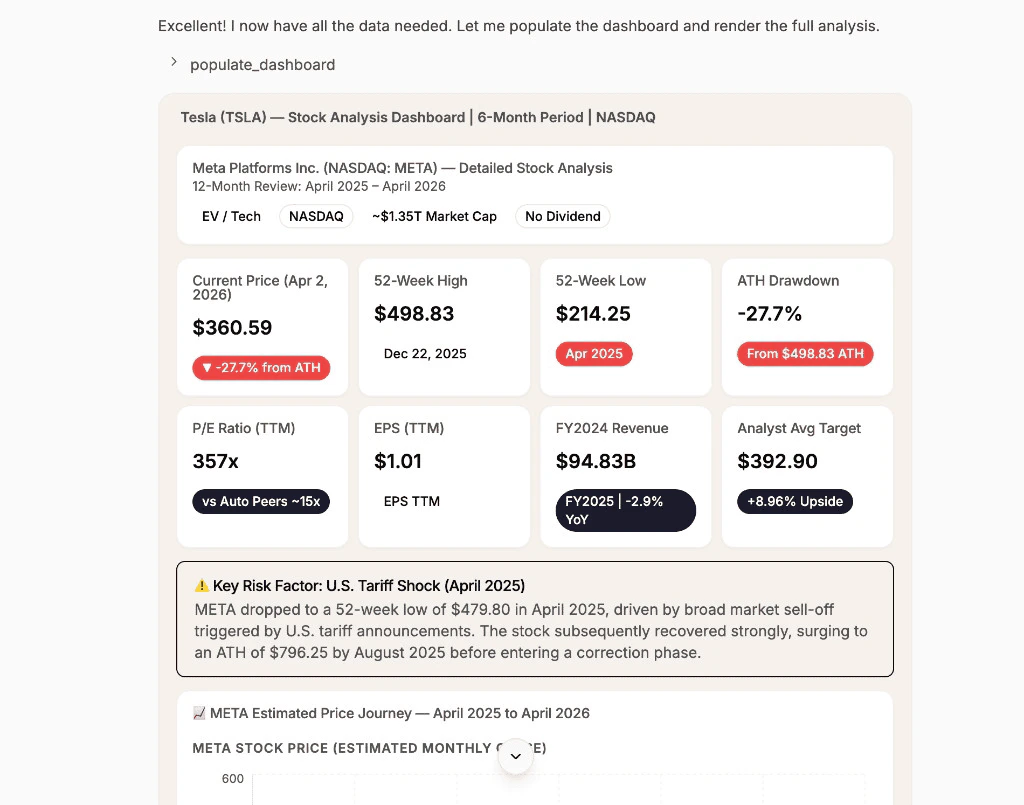
When an agent is created with the Dashboard output format, each run renders an interactive dashboard with KPI cards, charts, tables, and alerts. The dashboard layout is consistent across runs — only the data changes.
A dashboard rendered during an agent session showing KPI metrics, charts, and financial data
You can share any agent you have created via a direct install link. From the agent’s version history, click Share to copy the link to your clipboard.When someone opens the link, they see a preview page with:
The agent’s name, description, and avatar
An Install button that copies the agent to their own account
Installed agents include a label showing the source agent. The recipient gets their own independent copy — they can customize it, run it, and iterate on it without affecting the original.
Every agent has a Default model setting in its sidebar — the same model picker used in chat. It governs every way the agent runs: a manual run, a chat follow-up in its thread, a scheduled run, or a call through the API, so the agent behaves consistently no matter how it’s started.
Free-plan users see the same simplified tier picker as chat, with no individual model list. If a previously saved model ever becomes unavailable to the agent’s owner — for example after a plan downgrade — the run automatically falls back to the Lite tier instead of failing.
New agents inherit the model of the chat session they were built from.
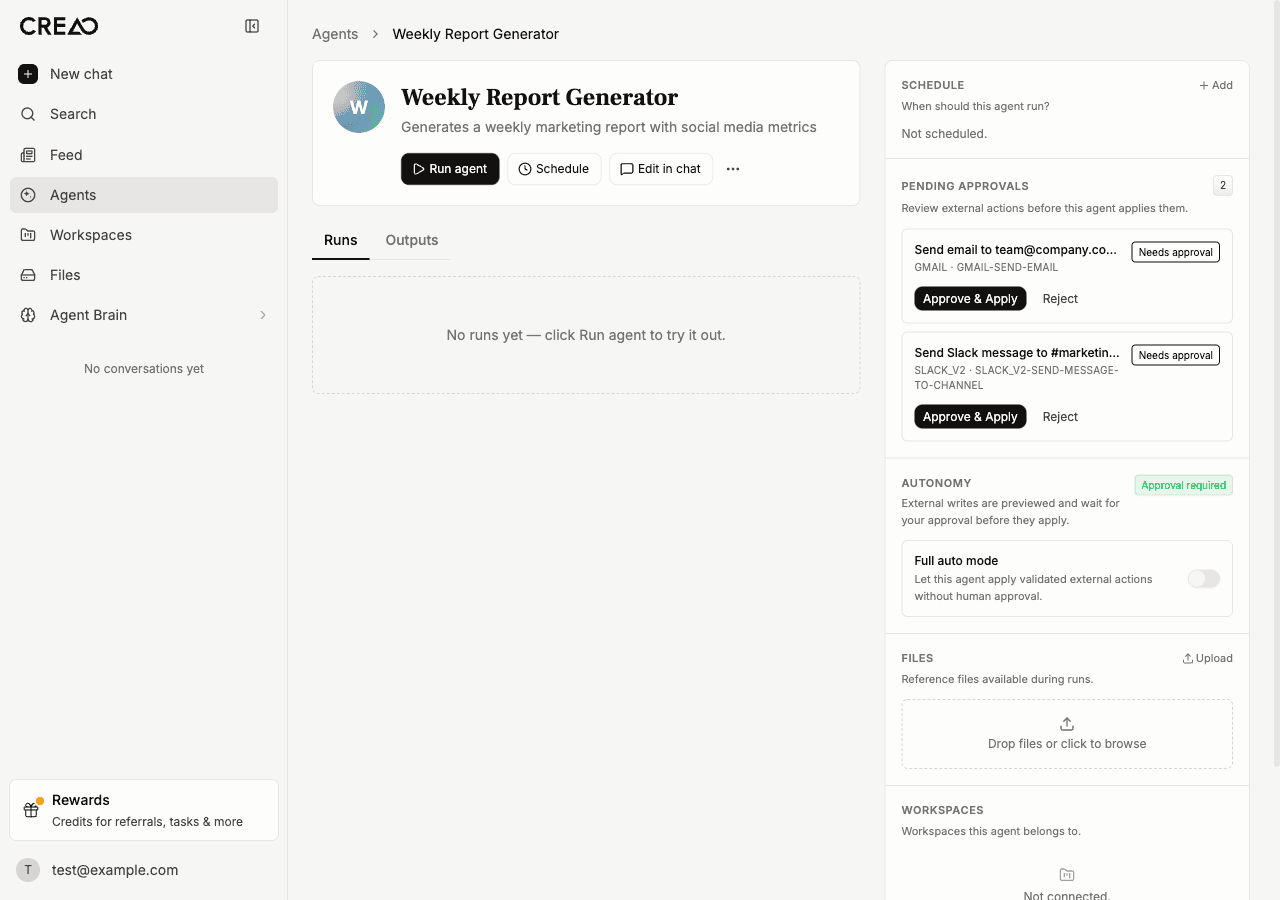
When an agent connects to external services — email, social media, messaging, marketplaces — some actions can have real-world consequences. CREAO’s write autonomy system lets you control how these actions are handled.
The agent sidebar showing pending approval cards for Gmail and Slack actions, with the autonomy toggle below
Each agent has an autonomy setting you can toggle from the sidebar:
Ask first
Auto (default)
When the agent wants to perform a write or destructive action, it pauses and shows an approval card in the chat. You can review the proposed action — including a preview of what will be sent — and either:
Approve & Apply — the action executes immediately
Reject — the action is cancelled and the agent is notified
If you send a follow-up message without approving, the pending approval is automatically superseded and the buttons are disabled.
Write actions execute immediately without pausing for approval. A record of every action is still created for audit purposes, but the agent does not wait for confirmation.
Auto mode is powerful but should be used with care. Every write action fires immediately — there is no undo for actions like sending an email or posting a tweet.
Runs you start through the API, the CREAO CLI, or the CREAO Slack app have no chat to show an approval card in, so they cannot pause for approval. On those runs, an agent set to Ask first does not perform write or destructive actions. The agent is told why, so it can tell you what it could not do, and each refused action appears under Pending approvals on the agent as Action blocked. Switch the agent to Auto if it should act in connected services on those runs.
Confirm or capture payment, issue refund or payout, cancel subscription, delete customer
Read-only tools (searching, listing, fetching) are never gated regardless of the autonomy setting.
Start with a working prototype in chat, save it as an agent, then iterate with follow-ups. Each refinement makes the agent more reliable and comprehensive.
Assistant
Responses are generated using AI and may contain mistakes.