When you create an agent, the runtime environment from your original chat session is automatically saved. This means any packages you installed, files you created, or tools you configured are available every time the agent runs — no setup needed.
The runtime environment is captured as a snapshot and reused across all runs of the agent — no setup needed on later runs.
When you create an agent from a chat session, the super agent captures the full state of your workspace at that moment — installed packages, generated files, and configuration. Every future run of that agent starts from this saved state instead of a blank environment.For example, if your chat session installed pandas, matplotlib, and seaborn to generate charts, every future run of the agent will have those packages pre-installed. The super agent doesn’t need to reinstall them each time.
Over time, you may want to add new packages or change the configuration for an existing agent. Use the Update Environment button on the agent detail page.
1
Open the agent detail page
Navigate to your agent from the Agents page in the sidebar.
2
Click Update Environment
The Update Environment button is in the top-right corner of the agent detail page. This opens a new chat session with your agent’s current environment pre-loaded.
The Update Environment button on the agent detail page
3
Make your changes
Ask the super agent to install packages, update tools, or make any changes you need. For example:
Install the seaborn and plotly packages
The super agent will list the current environment and help you make changes.
4
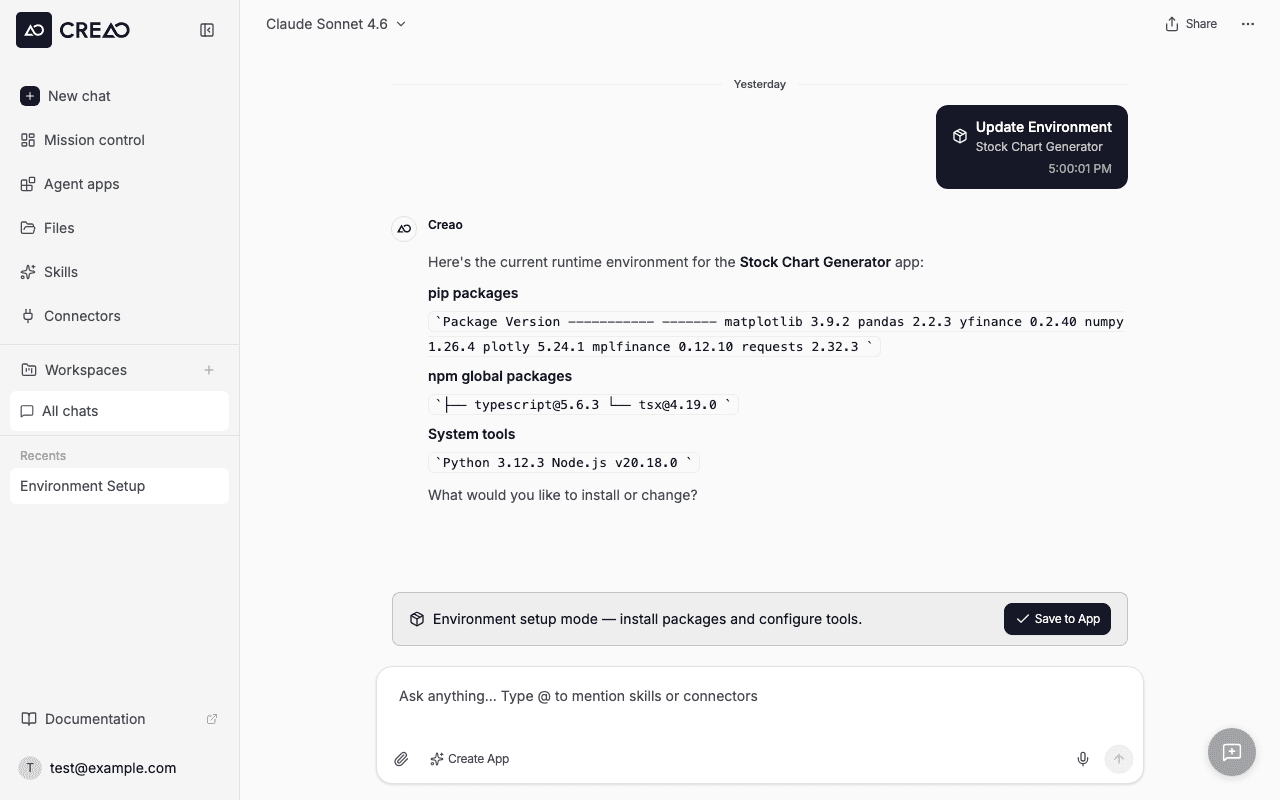
Save to Agent
When you’re done, click the Save to Agent button in the blue banner at the top of the chat. This captures the updated environment for all future runs.
The environment setup banner with the Save to Agent button
The “Save to Agent” button persists across page refreshes and navigation — you can install packages across multiple messages before saving.
When you use Update Environment, a session is created in the agent’s session history with the Env Setup label. These sessions are separate from regular agent runs so you can easily distinguish environment maintenance from actual usage.
If the saved environment becomes unavailable for any reason, the agent automatically falls back to the default runtime environment. Your agent’s skill and configuration still work — you may just need to re-install any custom packages.
When running an agent, any packages installed during that run are not saved back to the environment. Only the Update Environment flow and the original agent creation capture the environment. This keeps agent runs clean and reproducible.
Assistant
Responses are generated using AI and may contain mistakes.